
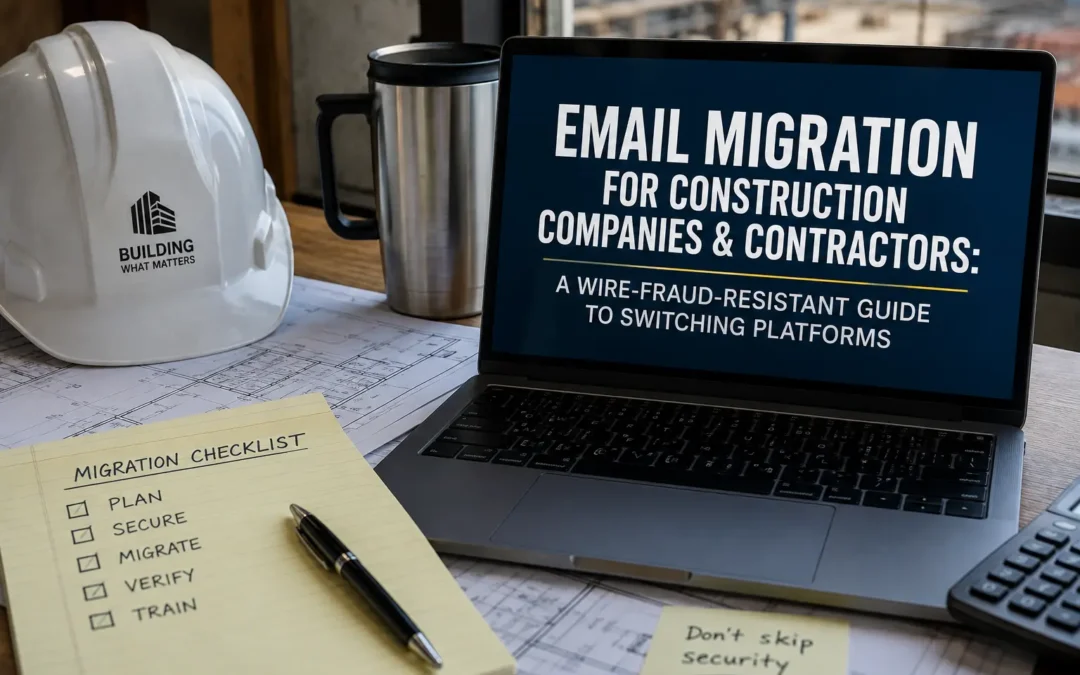
If you run a construction company, your email inbox isn’t just correspondence, it’s where bids get won, subcontractor payments get authorized, and six-figure wire transfers get approved. That makes it one of the most attractive targets in the country for cybercriminals, and one of the worst places to have a botched platform migration.
This guide walks through what general contractors, subcontractors, and specialty trade businesses need to know before moving email to Microsoft 365 or Google Workspace, with a specific focus on the risk that matters most in this industry: business email compromise (BEC) and progress-payment wire fraud.
Why Construction Is a Top Target for Email-Based Fraud
Construction firms process large, time-sensitive payments as a routine part of doing business. A general contractor juggling a handful of active jobs might authorize a dozen wire transfers in a single week, split across subcontractors, materials suppliers, equipment rental companies, architects, and engineers. Every one of those relationships runs through email, and every one is a potential impersonation target for an attacker.
The data backs this up. Research tracking construction-specific email fraud patterns found that construction topped the list of most-targeted industries for spearphishing attacks in both 2023 and 2024, with a single month in late 2025 showing construction and engineering accounting for the largest share of publicly reported ransomware and BEC victims across every industry tracked.
The attack pattern is consistent across the industry. As one legal analysis of construction wire fraud explains, wire transfers were the payment method most frequently targeted by BEC schemes through 2024 and 2025, and because progress payments routinely move by wire on tight timelines, the industry has become an increasingly attractive target for attackers who quietly monitor email threads until a transfer is imminent.
The financial scale of BEC nationally has grown alongside this trend. According to current BEC fraud statistics, the FBI’s 2025 IC3 report logged 24,768 BEC complaints and $3.05 billion in reported losses, up from 21,442 complaints and $2.77 billion the prior year, an increase of roughly 16% in complaint volume and about 10% in reported losses. Separate industry survey data suggests the exposure is even broader than the official complaint numbers imply, with the large majority of finance teams reporting some form of payments fraud attempt in the past year.
One more shift worth knowing before you migrate: the classic “CEO wants a gift card” scam is no longer the dominant flavor of BEC. Recent analysis of 2026 BEC trends shows vendor impersonation, where an attacker compromises or spoofs a supplier you already trust and quietly changes the bank account on a real invoice, now accounts for roughly 61% of all BEC activity, ahead of executive impersonation. For a contractor paying subcontractors and suppliers weekly, that’s the exact attack surface a migration needs to close, not open wider.
This context matters because a rushed or DIY platform switch is precisely when defenses get skipped: MFA left off, mail flow rules left unaudited, DMARC never configured. If you’re going to move platforms, it’s worth doing the security setup right the first time rather than retrofitting it under pressure after a payment goes missing.
Microsoft 365 vs. Google Workspace for Construction Businesses
Both platforms can run a construction company well. The right choice usually comes down to how your team actually works, not which brand is “better.”
| Factor | Microsoft 365 | Google Workspace |
|---|---|---|
| Field crew mobile experience | Solid via Outlook mobile; best when paired with Teams and OneDrive for site photos and plans | Generally considered stronger for quick, low-friction mobile use in spotty-signal job site conditions |
| Office-based document work | Stronger for complex estimates, takeoffs, and formatted proposals built in Excel and Word | Capable for most needs, but heavier spreadsheets and formatted documents often work better in native Office formats |
| Offline access | Full desktop Office apps work without a connection, useful for trailers and remote sites | More limited offline functionality since the suite is browser-first |
| IT management overhead | More configuration depth, better suited to a firm with dedicated IT support or a managed provider | Simpler admin console, often preferred by firms without in-house IT |
| Project management integrations | Deep native integration with construction platforms like Procore, including an Outlook add-in that pushes emails and attachments directly into project records | Fewer native integrations with construction-specific software, though most platforms support basic connectors |
| Security and compliance depth | Broader built-in security controls (Defender, conditional access, advanced audit logging), useful for firms handling large wire volumes | Solid baseline security, generally simpler to configure but less granular |
If your team already lives inside Procore, Buildertrend, or a similar construction management platform, check what that platform natively supports before you decide. Procore’s Outlook integration, for example, lets teams move project emails directly into a centralized project record and forward attachments into project documentation tools. That integration can be a deciding factor either way, so confirm it during your evaluation, not after your team has already adjusted to a new inbox.
A useful way to frame the decision, per guidance written specifically for contractors: field-heavy operations often lean toward the platform with the smoother mobile experience, while office-based firms handling complex documents tend to prefer the suite with deeper desktop application support. Most contractors run a mix of both, so weigh which group is larger on your team and which platform your subcontractors and clients already expect to see when your emails land in their inbox.
What Makes Construction Email Migrations Different
A few things separate a construction firm’s migration from a typical office move:
Job sites, not just desks. Field superintendents and crew leads often work from phones and tablets with inconsistent connectivity. A migration that requires re-authentication or manual reconfiguration on every device creates real disruption when someone is standing on a roof, not sitting at a desk.
Project-based shared mailboxes. RFIs, submittals, change orders, and subcontractor correspondence often route through shared or project-specific mailboxes rather than individual inboxes. These need to be mapped and migrated with the same care as user accounts, since losing history on an active project mailbox can create real contract and lien-notice deadline problems.
Bid and proposal confidentiality. Bid documents, unit pricing, and vendor negotiations are competitively sensitive. A migration is a good moment to tighten permissions on who can access historical bid correspondence, rather than simply replicating whatever access sprawl existed in the old system.
Payment verification workflows. Because vendor and subcontractor payment fraud is the dominant threat in this industry, migration is the right time to formalize a callback verification policy for any changed banking details, not something to bolt on afterward.
Retention for disputes and claims. Construction disputes can surface years after a project closes. Email tied to specific jobs, change orders, and correspondence with architects or engineers often needs to be retrievable well beyond the typical retention window used in other industries.
Step-by-Step Migration Framework for Construction Companies
1. Inventory every mailbox, not just active employees
Map user mailboxes, project-specific shared mailboxes, distribution lists for subcontractor groups, and any archived mailboxes from completed projects or former employees that still need to be retrievable for warranty or dispute purposes.
2. Coordinate around active job milestones
Avoid scheduling cutover during a week with major submittal deadlines, bid due dates, or payment application windows. A Friday-evening-to-Monday-morning cutover, timed around your project calendar rather than the calendar year, minimizes disruption.
3. Lock down DNS and authentication before go-live
Configure SPF, DKIM, and DMARC before the switch so your domain can’t be spoofed by attackers impersonating your company to your own subcontractors and vendors during the transition window, when everyone’s inbox behavior is already slightly abnormal.
4. Migrate project mailboxes with full history intact
RFI threads, submittal logs, and change order approvals need complete history preserved. Spot-check a sample of project mailboxes after migration to confirm attachments, not just message text, transferred cleanly.
5. Set up mobile and field access first
Configure mobile device profiles for field staff before the office staff transition, so crew leads aren’t troubleshooting email on a job site the same week the office switches over.
6. Implement payment verification controls in the new environment
Configure mail flow rules that flag external senders impersonating internal domains, and pair this with a standing policy: any request to change banking or wire details gets confirmed by phone, using a number from an existing contract, never a number provided in the email itself.
7. Reconnect project management integrations
If you use Procore, Buildertrend, or similar software, reinstall and test the email integration in the new platform before decommissioning the old mailbox, so incoming project correspondence doesn’t get lost in the gap.
8. Validate, then decommission
Confirm mail flow, calendar sync, and shared mailbox access are fully functional before canceling your previous email subscription. Keep the old environment accessible in read-only mode for a short window in case anything was missed.
For a full breakdown of what a professional migration typically costs based on mailbox count and complexity, see our email migration pricing guide.
Frequently Asked Questions
Why are construction companies specifically targeted by business email compromise scams? Construction firms move large sums by wire on tight, predictable timelines, coordinate with dozens of external vendors and subcontractors by email, and often lack dedicated IT security staff, making them an efficient target for attackers who specialize in vendor impersonation and payment redirection.
Should a construction company use Microsoft 365 or Google Workspace? It depends on how your team works. Firms with heavy field operations and light document formatting needs often lean toward Google Workspace for its mobile simplicity, while firms doing complex estimating, proposals, and using construction platforms like Procore often lean toward Microsoft 365 for its deeper desktop and security features.
Will our field crews lose email access during migration? Not with proper planning. A well-managed migration configures mobile access ahead of the main cutover and schedules the switch around a low-activity window, so field staff experience minimal to no disruption.
What happens to our RFIs, submittals, and project mailboxes during migration? Project-specific and shared mailboxes should be mapped and migrated with full message history and attachments intact, the same way individual user mailboxes are handled. This should be verified with spot checks after migration, not assumed.
How long does an email migration take for a construction company? Most construction businesses under 50 mailboxes can complete a migration over a single weekend. Firms with extensive project mailbox history or on-premises Exchange servers may need a staged approach over one to two weeks.
What’s the single most important security step during a construction email migration? Configuring DMARC, SPF, and DKIM before cutover, combined with a phone-verification policy for any banking or wire instruction changes. This closes the exact gap that vendor-impersonation fraud exploits.
Get Started
If your construction business is planning a platform switch, talk to EMNMS about a migration built around your project schedule, not a generic template. We handle mailbox mapping, shared project mailbox continuity, and security configuration so your crews and your accounting team stay protected before, during, and after the move.
Related reading: Email Migration for Real Estate Agencies & Brokerages · Email Migration for Insurance Agencies & Brokerages · How Much Does Email Migration Cost? · Email Migration Services: 28 Questions Business Owners Ask
Recent Comments