
Fewer Servers. More Service.
Smart human focused support for your inbox.

Leave the headaches. Keep your momentum.
Expert email management and troubleshooting, handled for you. We take care of the technical headaches, user setups, and daily maintenance so your team stays seamlessly connected.
✓ User Onboarding & Offboarding
✓ Microsoft 365 & Google Workspace Support
✓ DNS, SPF, DKIM & DMARC Management
✓ Email Migration

Daily Friction Checklist
Is email management draining your time?

If email issues are slowing your business down, let’s hand them off to the experts

Everything Your Business Needs, Covered
Email Migrations
Move mailboxes, contacts, calendars, and data with minimal disruption to your business operations.
Features:
- Microsoft 365 migrations
- Google Workspace migrations
- Exchange migrations
- Tenant-to-tenant migrations
Email Troubleshooting
When email stops working, we quickly identify and resolve the issue to minimize downtime and lost productivity.
Features:
- Send and receive issues
- Outlook troubleshooting
- Mobile email setup
- Mailbox synchronization issues

Microsoft 365 & Google Workspace Support
Expert administration and support for the platforms businesses rely on every day.
Features:
- Microsoft 365 administration
- Google Workspace management
- License management
- Platform configuration

Email Security & Protection
Protect your organization from phishing attacks, spam, account compromise, and unauthorized access.
Features:
- Multi-factor authentication
- Spam filtering
- Account security reviews
- Security policy configuration
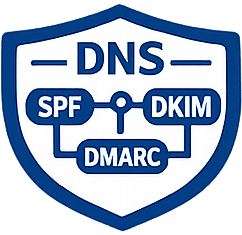
DNS, SPF, DKIM & DMARC Management
Proper email authentication improves deliverability and helps prevent spoofing and phishing attacks.
Features:
- SPF setup
- DKIM configuration
- DMARC implementation
- DNS troubleshooting

User Management
Add, remove, and manage employee email accounts with proper permissions, aliases, shared mailboxes, and distribution groups.
Features:
- New employee onboarding
- Employee offboarding
- Shared mailbox setup
- Alias management
The Email Migration Process: What to Expect
Migrating your business email shouldn’t mean pausing your business. We use a proven, phased approach to ensure your transition to Microsoft 365 or Google Workspace is seamless, secure, and entirely hands-off for your team.
1. Discovery & Assessment
Domain & DNS Review: We audit your existing domain records to plan your SPF, DKIM, and DMARC updates.
Data Inventory: We calculate the volume of mailboxes, shared folders, calendars, and contacts to estimate timelines.
2. Strategic Planning
Target Setup: We provision and securely configure your new Microsoft 365 or Google Workspace tenant.
User Mapping: We map out and create all user accounts, aliases, and shared mailboxes behind the scenes.
3. The Cutover
MX Record Update: We update your routing records to direct all incoming emails to the new servers, typically after-hours.
Delta Sync: We run a final synchronization to catch any new emails that arrived during the transition.
4. Post-Migration
Device Config: We assist your team in connecting their desktops, Outlook apps, and mobile phones to the new system.
Hypercare Support: Our team remains on high alert to instantly troubleshoot any sync, calendar, or delivery questions.
DIY vs. Managed Email Support
A bounced mailbox or a broken calendar sync doesn't wait for someone on your team to have free time. Here's what typically changes when day-to-day email troubleshooting moves from an internal, best-effort task to a dedicated, ongoing service.
| DIY / Self-Managed | EMNMS Managed | |
|---|---|---|
| Mailbox Outages & Bounces | Diagnosed by whoever's available, often after a client notices first | A dedicated expert troubleshoots instantly, not a generic support queue |
| New Employee Email Setup | Can take hours between accounts, distribution lists, and signatures | Deployed within minutes, including access rules and signatures |
| Calendar & Device Sync | Missing invites and sync errors across phones and laptops go unresolved | Flawless sync maintained across Outlook, Apple Mail, iPhones, and desktops |
| Server & DNS Maintenance | Handled reactively, after spam or delivery issues surface | Server updates, DNS records, and spam monitoring handled proactively |
| Offboarding | Access removal and mailbox reassignment easy to delay or forget | Access, mailbox reassignment, and distribution list updates handled promptly on departure |
| Support Coverage | Limited to whoever on staff happens to know the platform | Dedicated support across Microsoft 365 and Google Workspace, on any device |
Tired of being your team's unofficial IT desk? Get a zero-obligation analysis of your current setup.
Choose your industry

Healthcare
Ironclad HIPAA compliance
Encrypt patient data, secure digital intakes, and keep clinical communications strictly confidential.

Finance
Military-grade asset defense
Protect sensitive contracts, wire transfer details, and client financial data with tamper-proof archiving.

Law
Unbreakable case privacy
Secure confidential discovery and transfer court communications safely while effortlessly meeting strict retention laws.

Construction
Protect your competitive edge
Guard proprietary project bids, blueprints, and vendor contracts from digital interception.

Startup
Build immediate enterprise trust
Secure your intellectual property and establish mature, high-grade security protocols from day one.
Rapid Onboarding
New hire email setups, distribution lists, and access rules deployed in minutes.
Device & Calendar Sync
Flawless synchronization across Outlook, Apple Mail, iPhones, and desktops.
Proactive Maintenance
We handle server updates, DNS records, and spam monitoring before issues ever impact your day.
Email Support & Management FAQs
Email support and management covers day-to-day troubleshooting like send/receive failures and Outlook issues, mobile email setup, mailbox sync errors across phones and laptops, new employee onboarding, and proactive maintenance of DNS, spam filtering, and server updates before they cause disruptions.
We provide a dedicated expert to instantly troubleshoot mailbox outages and bounce-back issues, rather than leaving your team to diagnose the problem or wait on a generic support queue.
New hire email setups, including distribution lists, access rules, and signatures, are typically deployed within minutes rather than the hours it often takes when handled internally.
Yes. We resolve disjointed calendars, missing invites, and sync errors, and ensure flawless synchronization across Outlook, Apple Mail, iPhones, and desktops so your team always sees the same schedule.
Email migration is a one-time project that moves your mailboxes and data to a new platform. Email support and management is the ongoing service that handles daily troubleshooting, user setups, and maintenance afterward, or independent of a migration entirely.
We support Microsoft 365 and Google Workspace on Outlook, Apple Mail, iPhones, Android devices, and desktops, covering send/receive issues, mobile email setup, and mailbox synchronization across all of them.
Proactive maintenance means we handle server updates, DNS records, and spam monitoring before they cause problems. Reactive support is when something breaks, like a bounced email or sync error, and we fix it immediately rather than your team troubleshooting it themselves.
Yes. Alongside onboarding, we manage employee offboarding, removing access, reassigning or archiving mailboxes, and updating distribution lists so departing staff no longer have account access.
Streamline your email management today.
-
15-minute introductory workflow call
-
Zero-obligation analysis of your current IT setup
-
Clear, custom plan to hand off your daily email headaches