
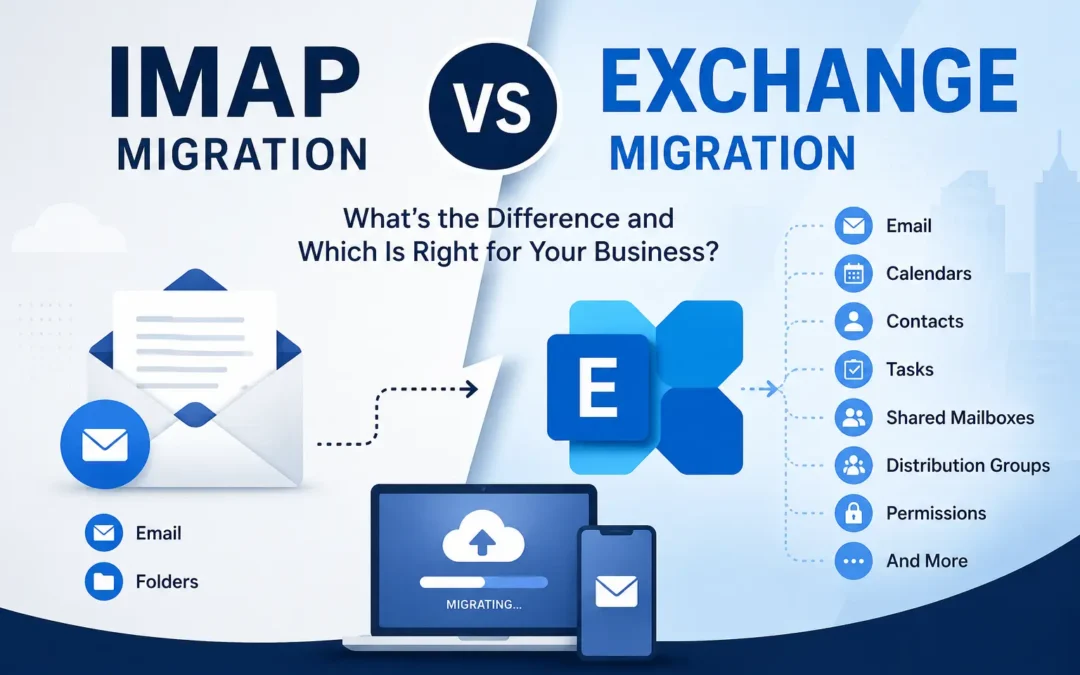
IMAP vs Exchange Migration: Understanding the Differences
Planning an email migration involves more than simply moving messages from one inbox to another. One of the first and most important decisions is determining whether your organization needs an IMAP migration or an Exchange migration.
Although both methods move email data, they are designed for very different environments and produce very different results. Choosing the wrong migration type can lead to missing calendars, contacts, shared mailboxes, and other business-critical information.
If you’re new to email migrations, you may want to start with our Ultimate Guide to Email Migration Services, which covers migration planning, timelines, risks, and best practices in detail.
In this guide, we’ll explain the differences between IMAP and Exchange migrations, when each one should be used, and how to determine which approach is right for your organization.
What Is an IMAP Migration?
An IMAP migration transfers email messages using the Internet Message Access Protocol (IMAP). It is one of the simplest forms of email migration and is commonly used when moving mailboxes from:
- Legacy email providers
- Web hosting email services
- Smaller business email platforms
- Older email systems that do not support Exchange protocols
Because IMAP was originally designed to synchronize email messages, it has significant limitations when compared to Exchange-based migrations.
According to the official IMAP specification published by the Internet Engineering Task Force (IETF), the protocol primarily focuses on email storage and retrieval and does not include native support for calendars, contacts, tasks, or collaboration features.
Data Typically Migrated with IMAP
✅ Email messages
✅ Email folders
❌ Calendars
❌ Contacts
❌ Tasks
❌ Notes
❌ Shared mailboxes
❌ Distribution groups
❌ Permissions
For organizations that only need to preserve email messages, IMAP migrations can be a simple and cost-effective solution.
What Is an Exchange Migration?
An Exchange migration moves data between Microsoft Exchange environments, including:
- Microsoft Exchange Server
- Microsoft 365
- Exchange Online
- Hybrid Exchange deployments
Unlike IMAP migrations, Exchange migrations preserve much more of a user’s working environment. Microsoft’s Exchange platform was designed as a collaboration platform, which means it stores far more than just email messages.
According to Microsoft’s Exchange migration documentation, Exchange migrations can transfer multiple mailbox components and collaboration features that are essential to business operations.
Data Typically Migrated with Exchange
✅ Email messages
✅ Calendars
✅ Contacts
✅ Tasks
✅ Notes
✅ Shared mailboxes
✅ Distribution groups
✅ Archive mailboxes
✅ Permissions (depending on the migration method)
Because of these additional components, Exchange migrations often require more planning and validation than IMAP migrations.
IMAP vs Exchange Migration Comparison
| Feature | IMAP Migration | Exchange Migration |
|---|---|---|
| Email Messages | Yes | Yes |
| Folders | Yes | Yes |
| Calendars | No | Yes |
| Contacts | No | Yes |
| Tasks | No | Yes |
| Shared Mailboxes | No | Yes |
| Distribution Groups | No | Yes |
| Archive Mailboxes | No | Yes |
| Permissions | No | Often |
| Complexity | Low | Medium to High |
| Best For | Basic email systems | Microsoft environments |
Which Migration Type Moves More Data?
The biggest difference between these migration types is the amount of information they preserve.
An IMAP migration essentially moves email messages and folders. An Exchange migration can move nearly an entire collaboration environment, including meeting history, contacts, shared mailboxes, and organizational settings.
Organizations frequently assume that all mailbox data will automatically transfer during an email migration. Unfortunately, this assumption often leads to missing data after an IMAP migration is completed.
When Should You Use an IMAP Migration?
An IMAP migration is usually the right choice when:
- You only need email messages.
- The source platform does not support Exchange protocols.
- You’re migrating from a web hosting email provider.
- The organization has a relatively simple email environment.
- Calendars and contacts can be recreated manually.
Common IMAP Migration Scenarios
IMAP to Microsoft 365
This is one of the most common migration scenarios for small businesses. Organizations often move from cPanel, GoDaddy, or other hosted email services into Microsoft 365.
Because IMAP migrations only move email messages, businesses should plan for manually recreating contacts, calendars, and other mailbox settings after the migration is complete.
Legacy Email Platforms
Older email systems frequently lack the APIs and connectors necessary to support more advanced migration methods.
Small Business Email Consolidation
If users only need access to historical email messages, an IMAP migration can be a practical solution.
Businesses making this transition often benefit from professional Email Migration Services, especially when migrating multiple users or large mailboxes.
When Should You Use an Exchange Migration?
Exchange migrations are typically the better choice when:
- Users rely heavily on calendars and meetings.
- Shared mailboxes exist.
- Distribution groups are heavily used.
- Meeting history must be preserved.
- The organization depends on Microsoft collaboration tools.
Common Exchange Migration Scenarios
Exchange Server to Microsoft 365
Many organizations are moving away from on-premises servers and migrating to Microsoft 365 to reduce infrastructure costs and improve reliability.
Microsoft 365 Tenant-to-Tenant Migration
Business mergers, acquisitions, and rebranding projects often require mailboxes to be migrated between Microsoft 365 tenants.
Hybrid Exchange Environments
Organizations running both on-premises and cloud-based Exchange environments may require a staged or hybrid migration approach.
Exchange to Exchange Online
Companies modernizing their infrastructure frequently migrate directly into Exchange Online while preserving mailbox data and collaboration features.
What About Google Workspace Migrations?
Google Workspace migrations don’t fit neatly into either category.
Depending on the migration method, they may resemble:
- An IMAP migration
- An API-based migration
- A specialized third-party migration
Google provides several tools and methods for migrating data into and out of its platform, and some migration approaches can preserve calendars and contacts in addition to email.
According to Google’s official migration documentation, organizations can use several migration approaches depending on the source platform and the types of data they need to preserve.
Because these migrations can become complex quickly, proper planning is essential.
Which Migration Is Faster?
Many people assume that IMAP migrations are always faster. In reality, migration speed depends on several factors:
- Mailbox size
- Number of users
- Internet bandwidth
- Server throttling
- Migration tools
- Amount of data being transferred
Generally speaking:
| Environment | Complexity |
|---|---|
| Small IMAP Migration | Low |
| Large IMAP Migration | Medium |
| Small Exchange Migration | Medium |
| Enterprise Exchange Migration | High |
Exchange migrations often take longer to plan because there is significantly more data that needs to be validated after the migration is complete.
However, this additional planning can dramatically reduce post-migration issues and user disruption.
Common Problems with IMAP Migrations
Businesses are often surprised to discover that important information did not migrate because they assumed IMAP moved everything.
Common issues include:
- Missing contacts
- Missing calendars
- Missing meeting history
- Lost autocomplete history
- Recreated signatures
- Missing shared mailbox access
- Reconfigured mobile devices
These limitations are not migration failures. They are simply limitations of the IMAP protocol itself.
Common Problems with Exchange Migrations
Exchange migrations generally preserve more data, but they can introduce additional challenges:
- Hybrid configuration issues
- Authentication problems
- Large archive mailboxes
- Tenant throttling
- Permission mapping
- Public folder migrations
Organizations that depend heavily on Microsoft email and collaboration tools often require ongoing Managed Email Administration Services after a migration to ensure everything remains configured properly and users remain productive.
How to Determine Which Migration You Need
Ask yourself these questions:
Do users rely heavily on calendars and meetings?
If yes, an Exchange migration is probably required.
Do you only need email messages?
An IMAP migration may be sufficient.
Are you migrating from Microsoft to Microsoft?
Exchange migration is usually the preferred approach.
Do you have shared mailboxes or distribution groups?
Exchange migration is generally necessary.
Are you moving from a basic hosted email service?
IMAP migration is often the right choice.
Related Reading: The Ultimate Guide to Email Migration Services
If you’re planning an upcoming migration and want a complete overview of migration strategies, timelines, planning considerations, and common pitfalls, read our Ultimate Guide to Email Migration Services.
The guide covers everything from choosing the right migration method to preparing users and minimizing downtime during a migration project.
IMAP vs Exchange Migration: Which One Is Better?
Neither migration type is universally better.
The right solution depends entirely on your existing environment and the data your organization needs to preserve.
Choose IMAP Migration If:
- You only need email messages.
- You’re moving from a basic email provider.
- Simplicity is the priority.
- Collaboration features are not critical.
Choose Exchange Migration If:
- You need calendars and contacts preserved.
- Users depend on collaboration tools.
- Shared mailboxes exist.
- Business continuity is critical.
- You’re migrating between Microsoft environments.
The most successful email migrations start with understanding exactly what data exists and selecting the migration method that protects the information your users depend on every day.
Frequently Asked Questions
Does an IMAP migration move contacts?
No. Standard IMAP migrations only transfer email messages and folders.
Does an IMAP migration move calendars?
No. Calendars are not supported by the IMAP protocol.
Does Exchange migration move shared mailboxes?
Yes. Most Exchange migration methods support shared mailboxes and other collaboration features.
Can I migrate from IMAP to Microsoft 365?
Yes. This is one of the most common migration scenarios for small businesses.
Is Exchange migration more complicated?
Usually, yes. Exchange migrations involve significantly more mailbox components and require additional planning and validation.
Making the Move With Confidence
An email migration doesn’t have to be a white-knuckle experience. The organizations that come out the other side with their sanity intact are the ones that treated it as a project with real phases, real risks, and real stakeholders — not just an IT task to knock out over a long weekend.
With the right planning, the right tools, and the right support, an email migration is an opportunity to set your team up with a more reliable, more capable platform. The disruption, when it happens at all, is temporary. The benefits of a well-run email environment compound over time.
If you’re weighing a migration and not sure where to start — or if you’ve been burned by a migration gone sideways in the past — our email migration services are built around making this process as smooth as possible for your team. We also offer ongoing email support and fully managed email administration for organizations that want expert hands on their email environment long after the migration is done.
EMNM eMail Migration n’ Management specializes in business email services including email migration, email support, and managed email administration. Learn more at emnms.com.
Recent Comments