
Email is still the backbone of business communication. Whether your organization uses Microsoft 365, Google Workspace, or another email platform, the way your email client retrieves messages is determined by an email protocol.
The two most common protocols are POP3 and IMAP.
At first glance, they may seem similar because both allow users to receive email. In practice, they work very differently. Understanding the difference between POP3 vs IMAP can help businesses avoid synchronization problems, improve collaboration, and make future email migrations much easier.
In this guide, we’ll explain how each protocol works, compare their advantages and disadvantages, and explain why IMAP has become the preferred choice for most modern businesses.
What Is an Email Protocol?
An email protocol is a set of rules that determines how email messages are retrieved and managed between a mail server and a user’s device.
When you open Outlook, Apple Mail, Thunderbird, or another email application, the protocol decides:
- How messages are downloaded
- Where they are stored
- Whether changes synchronize across devices
- How folders, read status, and deletions are handled
The two protocols used for receiving email are:
- POP3 (Post Office Protocol Version 3)
- IMAP (Internet Message Access Protocol)
What Is POP3?
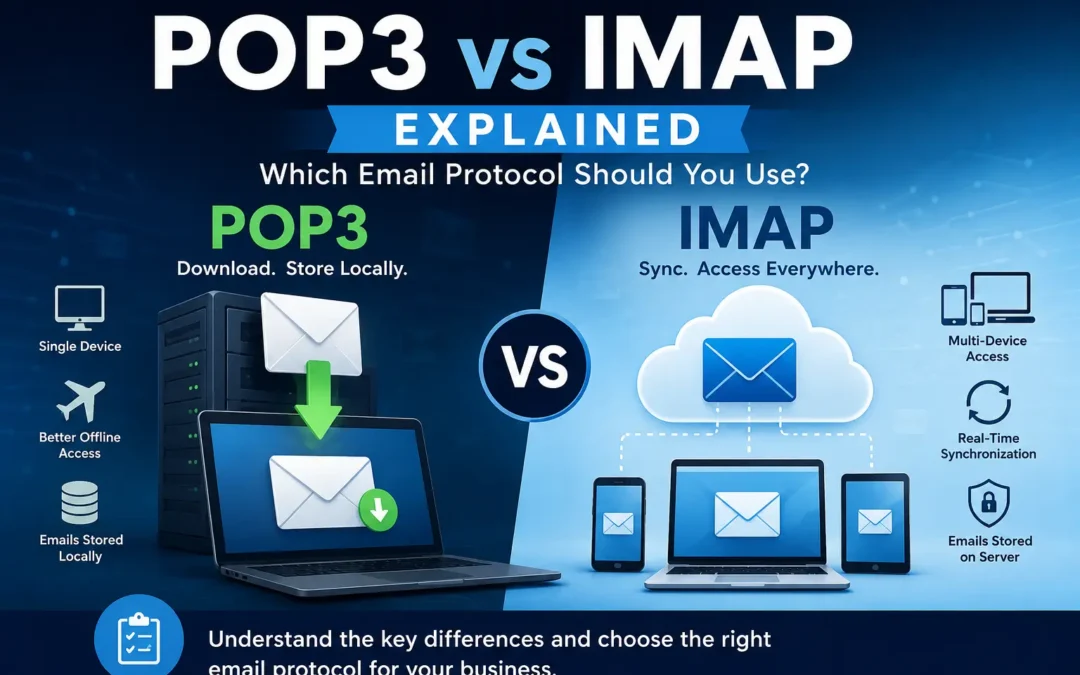
POP3 stands for Post Office Protocol Version 3. It was designed during a time when most people accessed email from a single computer.
According to the official POP3 specification published by the RFC Editor, POP3’s primary purpose is to allow a client to download messages from a server and manage them locally.
Think of POP3 like collecting physical mail from a mailbox. Once the mail is picked up, it is typically stored at home rather than remaining available in the mailbox.
How POP3 Works
- The email client connects to the server.
- New messages are downloaded to the device.
- Messages may be deleted from the server after download.
- Email management happens primarily on the local computer.
Advantages of POP3
Excellent Offline Access
Messages are stored locally and remain available even without an internet connection.
Reduced Server Storage Usage
Because emails are often removed from the server, mailbox storage requirements can be lower.
Simple Setup for Single-Device Users
POP3 can work well for individuals who only check email from one computer.
Disadvantages of POP3
Poor Multi-Device Support
Emails downloaded to one device may not appear on another.
Higher Risk of Data Loss
If the local device fails and backups are unavailable, messages can be lost.
No True Synchronization
Read status, folders, sent items, and deletions generally do not sync between devices.
Difficult Business Management
Organizations with remote workers and multiple devices often struggle with POP3 environments.
What Is IMAP?
IMAP stands for Internet Message Access Protocol. Unlike POP3, IMAP keeps messages stored on the mail server and synchronizes mailbox activity across devices.
The official IMAP standard published by the RFC Editor describes IMAP as a protocol that allows clients to access and manipulate electronic mail messages on a server while keeping the mailbox centralized.
Instead of downloading email permanently to one device, each device acts as a window into the same mailbox.
How IMAP Works
- The email client connects to the server.
- Messages remain stored on the server.
- Actions performed on one device synchronize everywhere.
- Users see the same mailbox on phones, laptops, desktops, and webmail.
Advantages of IMAP
Multi-Device Access
Users can seamlessly access the same mailbox from any device.
Centralized Storage
Messages remain on the server rather than being scattered across computers.
Better Collaboration
Shared mailboxes and team email management become much easier.
Improved Data Protection
Many cloud providers include redundancy and backup systems for server-stored mail.
Full Synchronization
Folders, read status, sent items, drafts, and deletions remain consistent across devices.
Disadvantages of IMAP
Requires Reliable Internet Access
IMAP works best with a stable connection.
Uses More Server Storage
Messages remain on the server instead of being removed after download.
Slightly More Complex Infrastructure
IMAP environments generally require more server resources than POP3.
POP3 vs IMAP: Side-by-Side Comparison
| Feature | POP3 | IMAP |
|---|---|---|
| Email Storage | Local Device | Server |
| Multi-Device Access | Limited | Excellent |
| Synchronization | No | Yes |
| Shared Mailboxes | Poor | Excellent |
| Remote Access | Limited | Excellent |
| Risk of Data Loss | Higher | Lower |
| Offline Access | Excellent | Good |
| Business Scalability | Limited | Excellent |
| Mobile Device Support | Limited | Excellent |
| Cloud Email Compatibility | Limited | Excellent |
Why IMAP Became the Industry Standard
Modern workers rarely use a single computer. Employees often check email from:
- Desktop computers
- Laptops
- Smartphones
- Tablets
- Web browsers
Google’s official Gmail documentation recommends IMAP for users who want to access the same mailbox across multiple devices because messages remain synchronized everywhere.
Similarly, Microsoft’s documentation for Microsoft 365 explains that both POP3 and IMAP are supported, but modern email experiences rely heavily on server-based synchronization.
This is why IMAP has become the default choice for most business email environments.
POP3 vs IMAP for Microsoft 365
Microsoft 365 supports both POP3 and IMAP.
However, most organizations use Outlook with Exchange-based synchronization because it provides:
- Real-time mailbox updates
- Calendar synchronization
- Contact synchronization
- Shared mailbox support
- Mobile device management
- Advanced security features
POP3 access is generally used only for legacy applications or specialized workflows.
POP3 vs IMAP for Google Workspace
Google Workspace also supports both protocols.
Google’s official recommendation is typically IMAP because it allows users to maintain a synchronized mailbox across Gmail, mobile devices, Outlook, Apple Mail, and other clients.
For organizations using Google Workspace, IMAP is usually the preferred configuration.
Can POP3 Cause Email Migration Problems?
Yes. Many businesses still operate legacy POP3 environments, and these setups can create additional challenges during an email migration.
Because messages may be stored on individual computers rather than centralized servers, organizations often discover that important email data is scattered across multiple devices.
Common POP3 migration issues include:
- Missing historical email
- Multiple PST files
- Inconsistent mailbox contents
- Unknown backup status
- Email stored only on employee laptops
If your organization is planning an upgrade to Microsoft 365, Google Workspace, or another modern platform, our Ultimate Guide to Email Migration explains the migration process, timelines, risks, and best practices for a successful transition:
When Might POP3 Still Make Sense?
Although IMAP is usually the better business choice, POP3 still has a few valid use cases:
- Single-device users
- Locations with unreliable internet access
- Specific local archiving requirements
- Legacy applications that require POP3
These scenarios are becoming less common as organizations adopt cloud-first email strategies.
Security Considerations
Security depends less on whether you use POP3 or IMAP and more on how the email environment is configured.
Regardless of protocol, businesses should implement:
- Multi-factor authentication
- Strong password policies
- Encrypted connections (SSL/TLS)
- Email security monitoring
- User security awareness training
Modern cloud email platforms generally provide much stronger security controls than older legacy mail systems.
Frequently Asked Questions
What is the difference between POP3 and IMAP?
POP3 downloads email to a local device and often removes it from the server. IMAP keeps email on the server and synchronizes mailbox activity across multiple devices.
Which is better, POP3 or IMAP?
For most users and businesses, IMAP is the better choice because it supports synchronization, multiple devices, centralized storage, and easier management.
Does Microsoft 365 use POP3 or IMAP?
Microsoft 365 supports both protocols, but most organizations use Outlook with Exchange-based synchronization for a more complete email experience.
Does Google Workspace support POP3?
Yes. Google Workspace supports both POP3 and IMAP, although Google generally recommends IMAP for multi-device access.
Is POP3 outdated?
POP3 is still supported by many providers, but it is considered a legacy protocol in many business environments because it lacks modern synchronization features.
Can I switch from POP3 to IMAP?
Yes. Many organizations transition from POP3 to IMAP when upgrading email platforms or moving to cloud-based services.
Is IMAP more secure than POP3?
Neither protocol is inherently more secure. Security depends on encryption, authentication, server configuration, and overall email security practices.
Final Thoughts
POP3 vs IMAP ultimately comes down to local storage versus synchronized access.
POP3 was designed for a world where people checked email from a single computer. IMAP was designed for a world where users need access from phones, laptops, desktops, and web browsers while keeping everything synchronized.
For most modern businesses, IMAP is the clear winner because it supports collaboration, mobility, centralized management, and cloud-based email platforms.
And if your organization is still running a legacy POP3 environment, understanding these differences can help you make smarter decisions about future email upgrades and migrations.
Making the Move With Confidence
An email migration doesn’t have to be a white-knuckle experience. The organizations that come out the other side with their sanity intact are the ones that treated it as a project with real phases, real risks, and real stakeholders — not just an IT task to knock out over a long weekend.
With the right planning, the right tools, and the right support, an email migration is an opportunity to set your team up with a more reliable, more capable platform. The disruption, when it happens at all, is temporary. The benefits of a well-run email environment compound over time.
If you’re weighing a migration and not sure where to start, or if you’ve been burned by a migration gone sideways in the past, our email migration services are built around making this process as smooth as possible for your team. We also offer ongoing email support and fully managed email administration for organizations that want expert hands on their email environment long after the migration is done.
EMNM eMail Migration n’ Management specializes in business email services including email migration, email support, and managed email administration. Learn more at emnms.com.
Recent Comments