
Moving your organization’s email system is not something businesses do often, for good reason. The idea of transferring years of emails containing sensitive informative is a mammoth task to most people, and the idea of losing your information is terrifying. Luckily, email migrations, when done correctly, are a safe, efficient way to move from platform to platform. Whether you’re transitioning from an on-premises email server to Microsoft 365, moving between cloud providers, or modernizing aging infrastructure, one of the first decisions you’ll face is how the migration will actually take place.
For most organizations, the choice comes down to two primary approaches: a cutover migration or a staged migration. Larger organizations may also consider a hybrid migration, which combines elements of both environments during the transition.
The right approach depends on factors such as company size, risk tolerance, business continuity requirements, and project timelines. A strategy that works perfectly for a 25-person accounting firm may create unnecessary risk for a 500-user manufacturing company.
What Is a Cutover Email Migration?
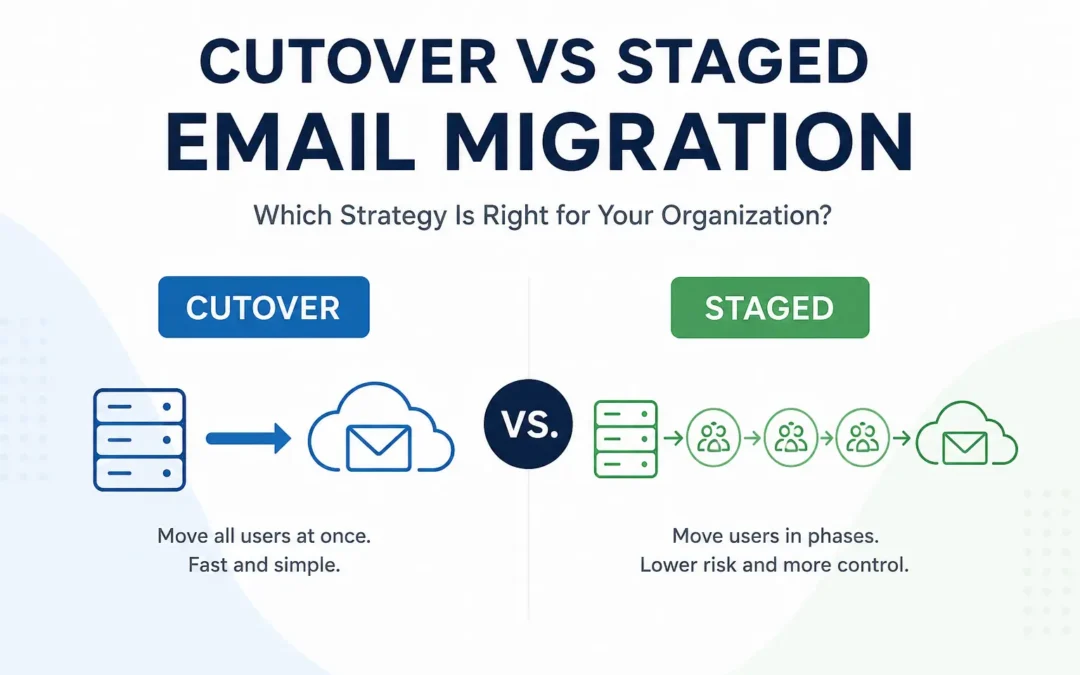
A cutover migration is exactly what it sounds like. Instead of moving users gradually, every mailbox is migrated to the new email platform at the same time. Think of it as flipping a switch. The old email environment remains active until migration day. Once the migration is complete, users begin working exclusively in the new system.
For example, a company with 40 employees might migrate from an on-premises Exchange server to Microsoft 365 over a weekend. By Monday morning, employees log into their new environment and continue working without needing access to the old system.
Because everything happens within a relatively short period, cutover migrations are often viewed as the fastest path to completion.
Benefits of a Cutover Migration
Shorter project timeline
A cutover migration can often be completed significantly faster than a phased migration. Once planning and preparation are complete, the transition itself happens in a single event.
Less administrative overhead
IT teams do not need to manage multiple migration phases, coexistence periods, or complex synchronization processes for extended periods.
Simpler user experience
Employees move to the new platform at the same time, reducing confusion about where email data resides.
Faster access to new features
Organizations can begin using the capabilities of their new email platform immediately after migration.
Drawbacks of a Cutover Migration
Higher concentration of risk
Because everything happens at once, any unexpected issue has the potential to affect all users simultaneously.
Limited flexibility
There is little room to pause, evaluate results, or make adjustments between migration phases.
Greater reliance on preparation
Success depends heavily on thorough testing, validation, and planning before migration day arrives.
While a cutover migration can be an efficient solution for many organizations, it is not always the best fit. As user counts increase, business processes become more complex, and downtime tolerance decreases, many organizations prefer a more gradual approach. Rather than moving every mailbox at once, a staged migration spreads the transition across multiple phases, allowing teams to reduce risk and make adjustments along the way.
What Is a Staged Email Migration?
A staged migration moves users in phases rather than all at once.
Instead of migrating an entire company over a single weekend, departments or user groups are transitioned according to a planned schedule.
A business might migrate its IT department first, followed by finance, then operations, and finally sales and leadership teams.
This approach spreads change across a longer timeframe and allows teams to learn from each migration phase before proceeding to the next.
While staged migrations generally require more planning and coordination, they often provide greater flexibility and reduce operational risk.
Benefits of a Staged Migration
Lower operational risk
Issues that arise during early migration phases can be resolved before additional users are moved.
Better change management
Employees have more opportunities to receive training and support throughout the project.
Improved troubleshooting
Problems are typically easier to isolate when smaller groups of users are migrated at a time.
Greater flexibility
Organizations can adjust schedules, timelines, and priorities based on what they learn during the migration process.
Drawbacks of a Staged Migration
Longer project duration
The migration may take weeks or even months depending on organizational size and complexity.
Additional planning requirements
More moving parts generally mean more coordination between technical teams, department leaders, and end users.
Temporary complexity
Organizations may need to manage multiple environments during the transition period.
Cutover vs Staged Migration: Key Differences
While both approaches ultimately achieve the same goal, the journey looks very different.
| Factor | Cutover Migration | Staged Migration |
|---|---|---|
| Timeline | Short | Longer |
| User Transition | All at once | Phased |
| Risk Distribution | Concentrated | Spread across phases |
| Complexity | Lower | Higher |
| Flexibility | Limited | Greater |
| Troubleshooting | More challenging | Easier |
| Best Fit | Smaller organizations | Medium and large organizations |
The decision often comes down to a simple question:
Would your organization rather complete the migration quickly or reduce risk by spreading the transition across multiple phases?
When a Cutover Migration Makes Sense
Cutover migrations are frequently a good fit for organizations with straightforward environments and relatively small user counts.
Common examples include:
- Small businesses
- Professional services firms
- Startups
- Organizations with fewer than 100 users
- Companies operating under aggressive timelines
If your email environment has limited customization, few third-party integrations, and minimal compliance requirements, a cutover migration may provide the most efficient path forward.
For many smaller organizations, extending a migration over several months creates unnecessary complexity without delivering significant benefits.
When a Staged Migration Makes Sense
As environments become larger and more complex, staged migrations often become the safer option.
Organizations commonly choose a staged approach when they have:
- Multiple business units
- Hundreds of users
- Critical operational systems tied to email
- Complex workflows
- Regulatory or compliance obligations
- Limited tolerance for disruption
In these situations, reducing risk often becomes more important than completing the project as quickly as possible.
The ability to migrate users gradually and learn from each phase can significantly improve overall project outcomes.
What About Hybrid Email Migrations?
A hybrid migration takes a different approach.
Instead of fully replacing one environment with another immediately, both systems operate together during the transition period.
For example, some users may remain on an on-premises Exchange server while others operate within Microsoft 365. Mail flow, calendars, and collaboration features continue functioning across both environments until the migration is complete.
Hybrid migrations are commonly used by larger organizations that require maximum flexibility.
Benefits of a Hybrid Migration
- Reduced disruption during transition
- Greater flexibility in migration scheduling
- Support for large and complex environments
- Easier long-term coexistence planning
Challenges of a Hybrid Migration
- More technical complexity
- Longer implementation timelines
- Additional infrastructure requirements
- Increased administrative effort
While hybrid migrations can be extremely effective, they are typically unnecessary for smaller organizations.
Real-World Migration Examples
Looking at real-world scenarios can help clarify which strategy aligns best with your business.
Example 1: A 25-User Law Firm
A small law firm decides to move from an aging on-premises email server to Microsoft 365.
Because the organization has a limited number of users and a relatively simple environment, a cutover migration is likely the most practical option. Proper planning and a weekend migration window allow employees to begin using the new system on Monday morning.
Example 2: A 200-User Manufacturing Company
A manufacturing company operates across multiple departments with unique workflows and operational requirements.
Rather than moving everyone at once, the company chooses a staged migration. Departments are transitioned gradually, allowing IT staff to identify issues and provide support before migrating additional users.
Example 3: A 2,000-User Enterprise Organization
A large enterprise maintains significant infrastructure investments and complex operational requirements.
In this situation, a hybrid migration often provides the flexibility needed to support business continuity while gradually transitioning users to the cloud.
Common Mistakes When Choosing a Migration Strategy
Many migration challenges stem from planning decisions rather than technical failures.
Choosing Based Solely on Speed
Faster is not always better.
A migration approach should align with business objectives, risk tolerance, and operational realities rather than focusing exclusively on completion dates.
Underestimating User Communication
Employees need to know what is changing, when it is changing, and how it affects their daily work.
Strong communication often contributes more to a successful migration than technical execution alone.
Overlooking Third-Party Applications
Many organizations rely on applications that send, receive, archive, or process email.
These integrations should be identified and tested before migration begins.
Skipping Pilot Testing
Even well-planned migrations benefit from testing.
Small pilot groups frequently uncover issues that would otherwise affect larger portions of the organization.
For a deeper look at potential pitfalls, review our Common Email Problems guide.
How to Choose the Right Email Migration Approach
There is no universally correct answer.
The best migration strategy depends on your organization’s goals and environment.
A cutover migration is often the right choice when:
- Your environment is relatively simple
- You have a smaller user base
- You need to complete the project quickly
- Downtime windows are manageable
A staged migration is often the better option when:
- Risk reduction is a priority
- You have multiple departments or locations
- User training and support are important considerations
- The environment is more complex
A hybrid migration may make sense when:
- You require coexistence between environments
- You have a large number of users
- Business continuity requirements are extensive
- The migration will occur over an extended period
Frequently Asked Questions
Is a cutover migration faster than a staged migration?
Yes. Because all users are moved at the same time, cutover migrations are generally completed more quickly than staged migrations.
Which migration type has the lowest risk?
Staged migrations typically reduce risk by spreading changes across multiple phases rather than concentrating them into a single migration event.
Are staged migrations only for large organizations?
No. Smaller organizations can also benefit from staged migrations when minimizing disruption is a top priority.
What is the difference between a staged migration and a hybrid migration?
A staged migration moves users in phases. A hybrid migration allows old and new environments to operate together during the transition.
Can a company switch migration approaches during a project?
In some situations, yes. However, changing strategies mid-project often introduces additional complexity and should be evaluated carefully.
Final Thoughts
Choosing between a cutover, staged, or hybrid email migration is ultimately a business decision as much as a technical one. Organizations seeking the fastest path to completion often gravitate toward cutover migrations. Those focused on reducing risk frequently prefer staged migrations. Larger enterprises with complex requirements may find hybrid migrations provide the flexibility they need.
The key is selecting an approach that aligns with your organization’s size, priorities, and operational requirements rather than simply following what worked for another company.
If you’re planning an upcoming migration, our Ultimate Email Migration Guide provides a comprehensive overview of migration planning, timelines, preparation, risk management, and post-migration best practices.
EMNM Email Migration and Email Management Services
If you’re planning an email migration project or looking to improve the management of your business email environment, EMNM offers a range of specialized services designed to support organizations of all sizes.
- Email Migration Services – Professional email migrations for Microsoft 365, Google Workspace, Exchange, IMAP environments, tenant-to-tenant projects, and more.
- Email Support Services – Expert assistance for email troubleshooting, delivery issues, account management, security configuration, and ongoing support.
- Managed User Onboarding and Offboarding – Streamline employee onboarding and offboarding processes while ensuring proper account setup, access management, and security controls.
Need help determining the right solution for your organization? Contact our team to discuss your requirements and receive expert guidance tailored to your business.
Recent Comments